Best Apps for Taking Notes in Islamic Studies?
Try Maktabook
A beginner’s guide to choosing the best note-taking app for Islamic studies, based on how you study and what you need from it.
What this guide covers
This guide compares four apps, Maktabook, Notion, Goodnotes and OneNote, on what Islamic note-taking needs: adding Quran and hadith references, reading tafsir, working with class PDFs, and organizing notes by subject. Each app lists what it offers and where it falls short, so by the end you’ll know which one fits how you study.
The best apps for taking notes in Islamic studies
1. Maktabook: Quran, Hadith and Tafsir Built In
- Platform:
- Web
- Best for:
- Typed notes without switching tabs
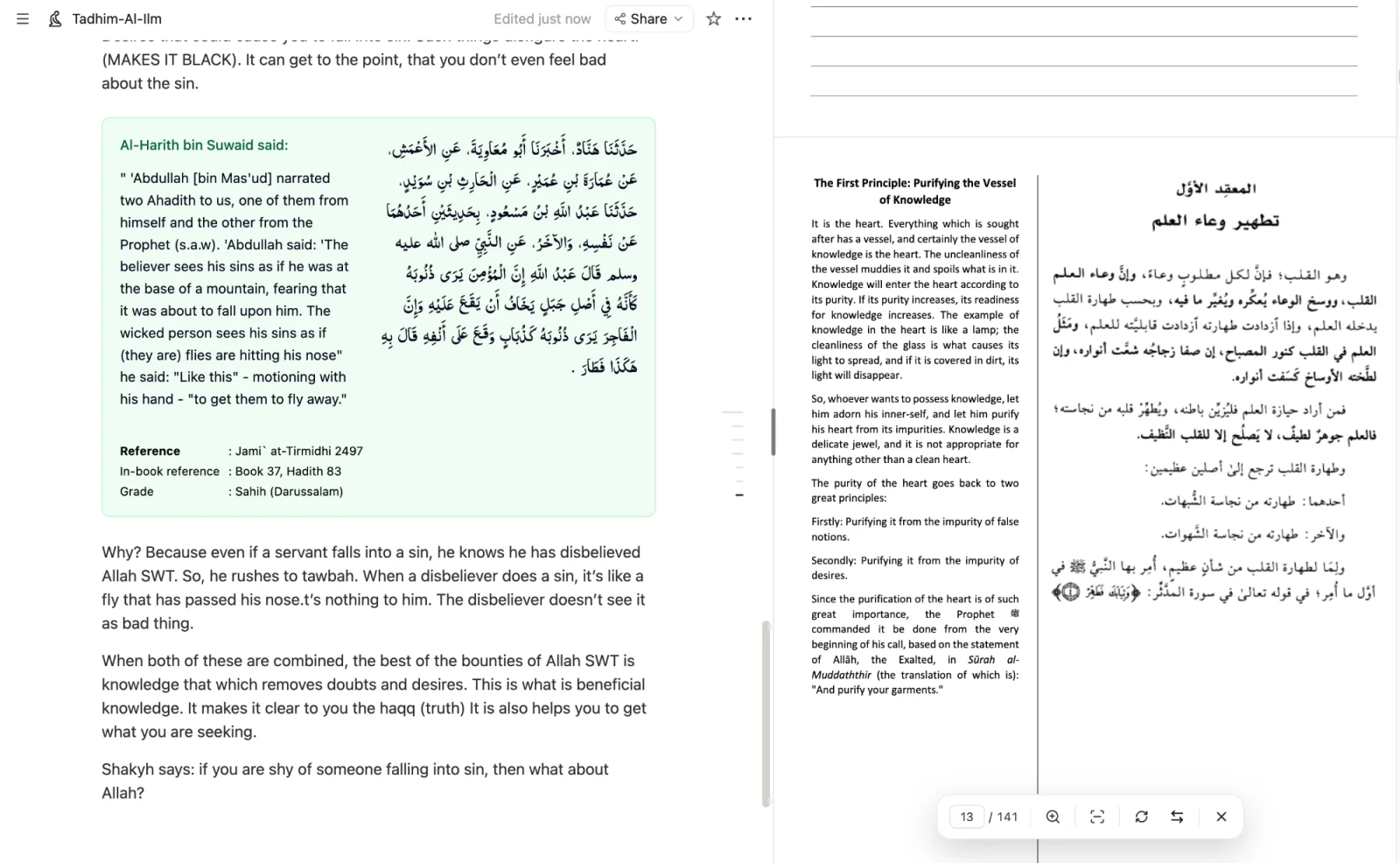
Maktabook is a free note-taking app made specifically for Islamic study. The Quran, hadith and tafsir are built in, so you can insert verses and hadith into your notes without leaving the page. Notes are organized into books, one per subject, so each subject has its own place.
What it offers:
- Built-in Quran, hadith and tafsir you can look up while writing
- Verses inserted in your preferred translation language and Arabic text size
- Viewing your PDF side-by-side with your notes
- Import and export options
Drawbacks: It needs an internet connection to open and sync your workspace. It runs in your browser, so there is no app to download from an app store. The note editor is built for typing.
Ideal for: Students who want their sources and their notes in one place.
2. Notion: A Flexible Workspace
- Platform:
- Web, desktop and mobile apps
- Best for:
- A custom note system
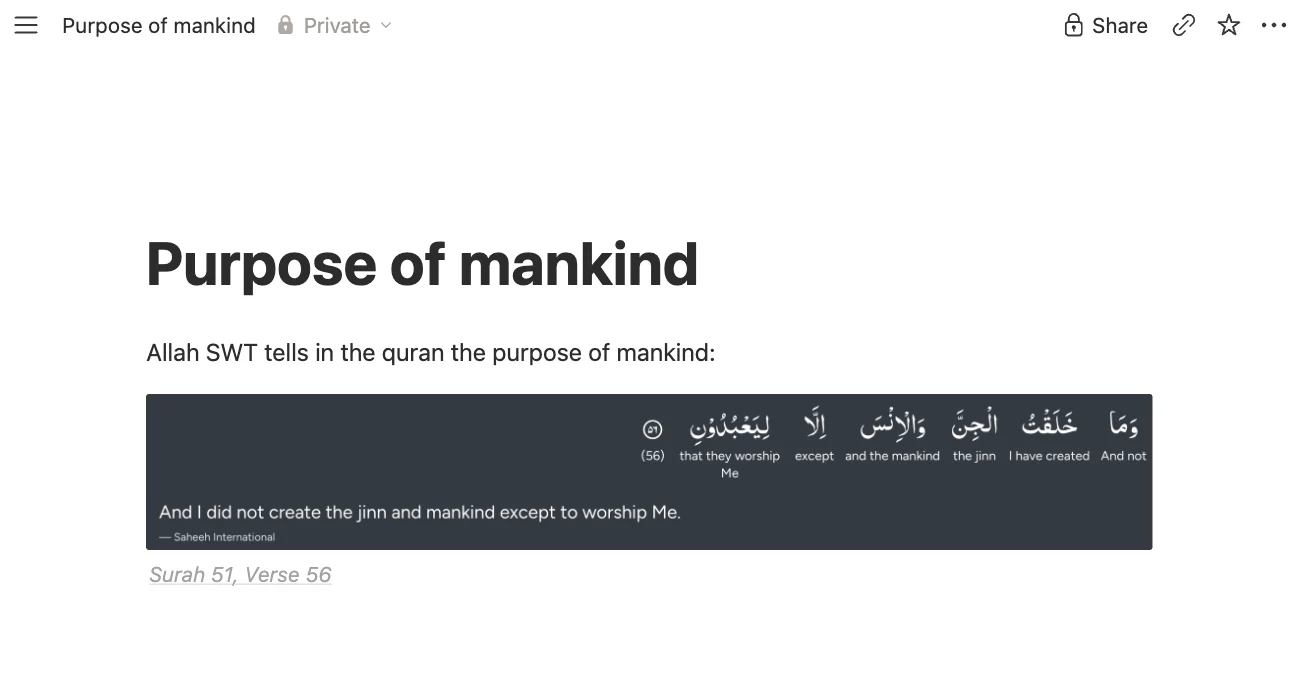
Notion is a general-purpose workspace: one app for writing notes, making checklists and keeping organized tables. It starts blank, so you build your own setup. For Islamic study, that means creating a section for each subject and a table for your hadith, with columns for collection, number and topic, because nothing is set up for you.
What it offers:
- Build your own setup: sections for each subject, checklists, and tables you can filter, such as a hadith log
- Ready-made templates in the Notion Marketplace
- Real-time editing with comments, useful for study groups
- Desktop and mobile apps, with pages you can download for offline use
- A free plan, and Plus is free for eligible students and educators with a one-member workspace
Drawbacks: Notion has no built-in references like the Quran or hadith, so the only way to add them is to go to another site and copy or reference them. The free plan also has an upload limit of 5 MB per file, which many PDFs exceed. And you have to build your own setup before you can start taking notes.
Ideal for: Students who like building their own system, or who study in a group.
3. Goodnotes: Handwritten Notes and PDF Annotation
- Platform:
- iPad, iPhone, Mac, Android, Windows and web
- Best for:
- Handwriting and annotating class materials
Goodnotes is a note-taking app for writing by hand, like a paper notebook on a tablet. You can also write directly on PDFs, which helps if your class hands out Arabic texts or handouts.
What it offers:
- Handwriting with an Apple Pencil or a compatible stylus
- Writing and highlighting directly on PDFs
- Notebooks you can organize by subject
- Audio recording alongside your notes on supported devices
Drawbacks: Goodnotes has no built-in references like the Quran or hadith, so you write them by hand or copy them from another site. It works best on an iPad with an Apple Pencil. It is built for handwriting, so typed study notes are not its strength.
Ideal for: Students who learn by writing by hand and work from handouts or PDFs.
4. Microsoft OneNote: A Free, Simple Notebook
- Platform:
- Windows, Mac, iOS, Android and web
- Best for:
- A free notebook that mixes typing and handwriting
OneNote is Microsoft’s free notebook app. You organize notes into notebooks, sections and pages, like a binder with tabs, and you can type, write by hand or add pictures on the same page.
What it offers:
- Notebooks, sections and pages
- Typing, handwriting and pictures on one page
- Access across your devices
Drawbacks: OneNote has no built-in references like the Quran or hadith, so you copy or type them from other sites. It has no Islamic study tools, such as tafsir. How well your notes stay organized depends on how you set up your notebooks.
Ideal for: Beginners who want a free, simple start.
Which app should you choose?
- Choose Maktabook if your notes involve Quran, hadith, tafsir or class PDFs and you want them in one place without switching tabs.
- Choose Notion to design your own system or study with a group.
- Choose Goodnotes if you handwrite notes or annotate handouts.
- Choose OneNote for a free, simple notebook.
For a closer comparison, see Maktabook vs Notion: Which Is Better for Islamic Studies?.
May Allah سبحانه وتعالى grant us beneficial knowledge and the ability to act upon it. Ameen.