Maktabook vs Notion: Which Is Better for Islamic Studies?
Try Maktabook
This post compares Maktabook and Notion for Islamic study notes by doing the same verse, hadith and PDF tasks in each, so you can see which fits.
How to take notes on a Quran verse in Notion vs Maktabook
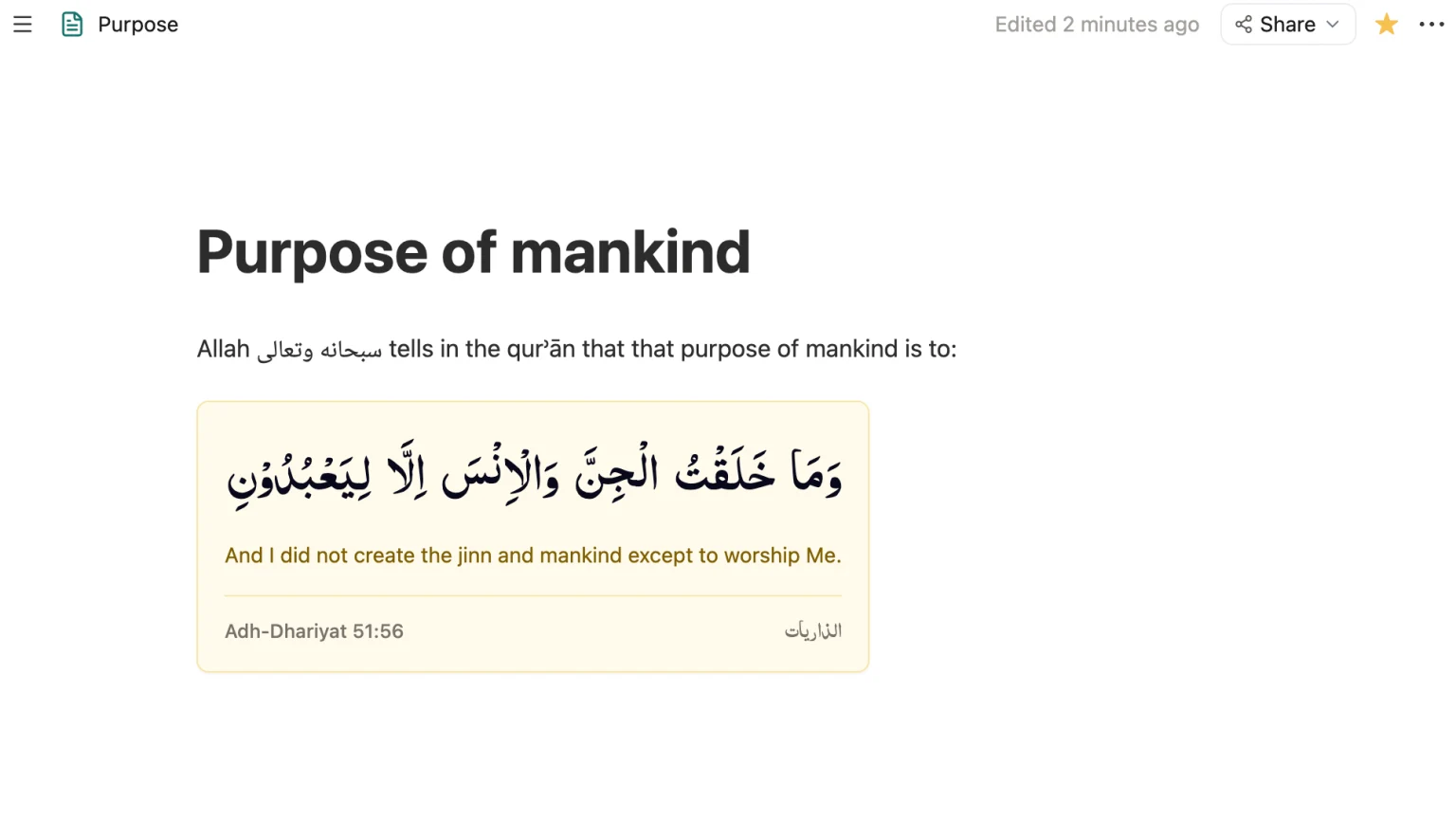
The task is the same in both apps: note down Surah Adh-Dhariyat 51:56, the verse on the purpose of mankind, with its Arabic text, a translation and the reference.
In Notion
- Open a Quran site such as Quran.com and find 51:56.
- Copy the verse, or take a screenshot of it.
- Paste it into your page, then format it: type the reference, add a caption, and link back to the verse.
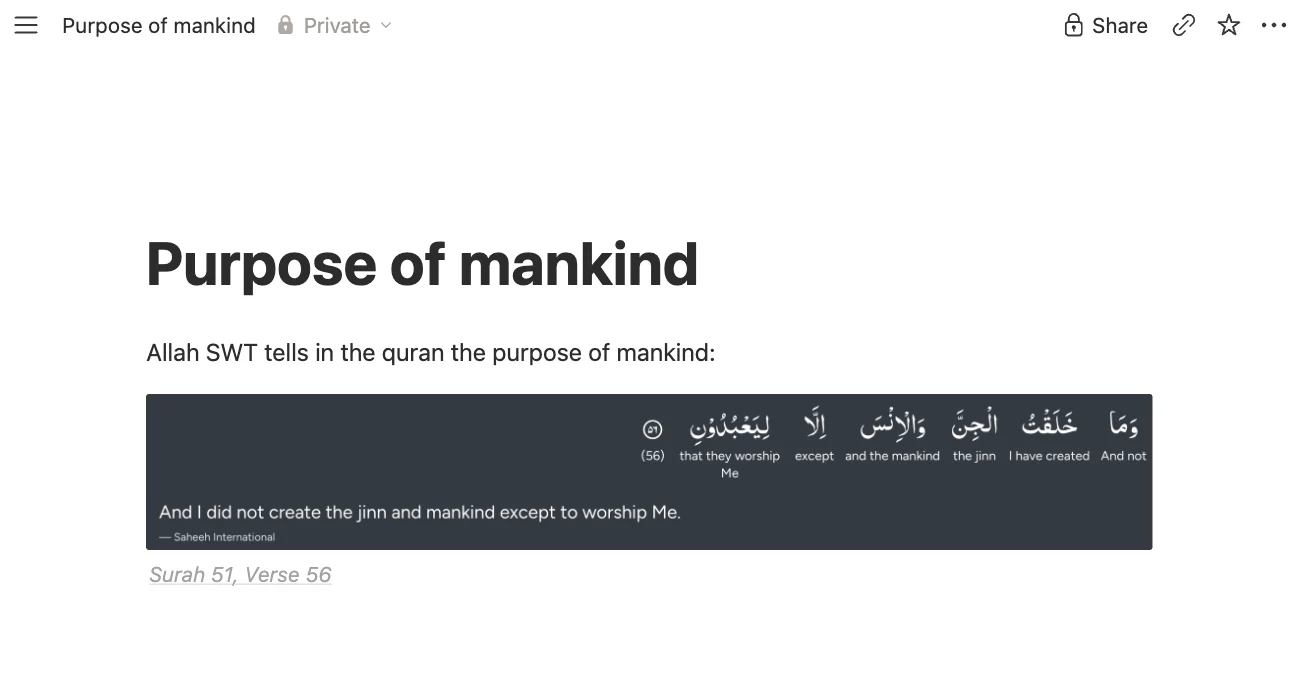
Notion has no built-in Quran, so every verse comes from another site. Pasted Arabic uses the page’s font. A screenshot preserves the Quran site’s typography, but its text can’t be edited. Changing how the verse looks takes extra steps. Notion does display Arabic and lets you set text direction block by block.
In Maktabook
Maktabook has the Quran, hadith and tafsir built in.
- Type
/quranand select 51:56, or type/quran 51:56and press Enter. - The verse is inserted into your notes.
- Optional: customize it further, including font size, translation language, color, and more.
How long it takes
In this timed example with verse 51:56, Notion took almost 40 seconds and Maktabook took 3 seconds.
Notion needs a trip to another site, then copying and formatting. Maktabook needs one insert. A lesson with ten verses repeats that ten times.
Taking notes on a hadith
The same pattern applies to hadith. In Notion, you find the hadith on a site like Sunnah.com, copy it, and type the collection and number yourself. In Maktabook, you insert it from the built-in hadith collection.
A Notion database lets you keep a hadith log with a column for collection, number, narrator and topic, and filter it by any of them. Maktabook has no databases.
Studying from a PDF
Notion has a PDF block that shows the document inside a page. On the Free plan, uploaded files are limited to 5 MB each, which many scanned books and handouts exceed. You can embed a link to a PDF hosted elsewhere instead.
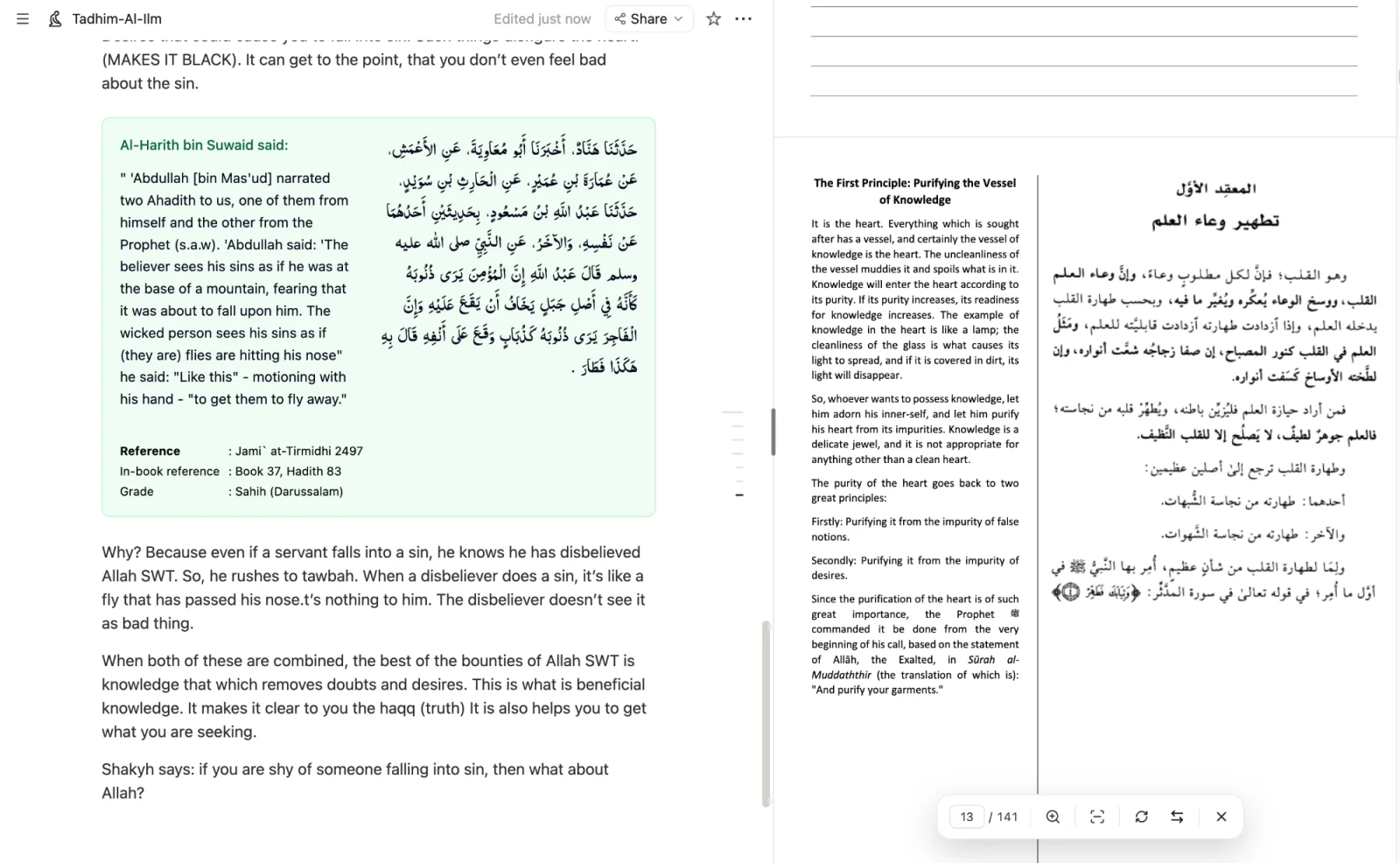
Maktabook’s PDF split view opens the PDF beside your note, toggled with Cmd+Shift+X on Mac or Ctrl+Shift+X on Windows. You can move the PDF panel left or right and replace the current PDF with another.
Where Notion is better
- Customization. Databases, views, properties and a marketplace of templates let you build almost any system.
- Collaboration. Notion supports real-time editing, comments and mentions on shared pages. A study circle can work in one shared space.
- Integrations. Notion connects to Slack, GitHub, Jira and Google Drive, and has an API.
- Apps and offline use. Notion has desktop and mobile apps, and pages you’ve downloaded work offline.
Where Maktabook falls short
- It runs in your browser, so there is no app to download from an app store.
- It needs an internet connection.
- It has no databases, team spaces or integrations.
Maktabook and Notion side by side
| Feature | Maktabook | Notion |
|---|---|---|
| Price | Free | Free plan, Plus from $10 per member per month |
| Quran, hadith and tafsir | Built in | Copied from other sites |
| PDF study | Split view beside your note | PDF block in the page, 5 MB file limit on Free |
| Customization | Font size, translation language, dark mode | Extensive |
| Collaboration | Page sharing | Real-time editing and comments |
| Apps and offline | Browser only, needs internet | Desktop and mobile apps, offline pages |
Which should you choose?
- Choose Maktabook if most of your notes involve Quran, hadith, tafsir or class PDFs and you want them in one place without setup.
- Choose Notion if you want to design your own system, study with others in a shared space, use integrations, or work offline in an app.
- Use both if Notion already runs the rest of your life and you want a dedicated place for study notes.
- On a budget, both have free options. Notion’s Plus plan is free for eligible students and educators with a one-member workspace.
For more options, see our guide to the best Islamic note-taking apps. For a method that works in any app, see our guide to taking better Islamic study notes.
May Allah سبحانه وتعالى make our study beneficial and our notes a means of benefit. Ameen.