5 Best Apps for Studying the Quran and Hadith
Try Maktabook
Studying the Quran and hadith takes more than one tool. Some are best for reading, others for memorizing, researching hadith or taking notes. Here are five apps and websites, and what each does best.
The best apps and websites for studying the Quran and hadith
1. Quran.com: Best for Reading and Understanding the Quran
Best for: Reading the Quran with translation, tafsir and audio
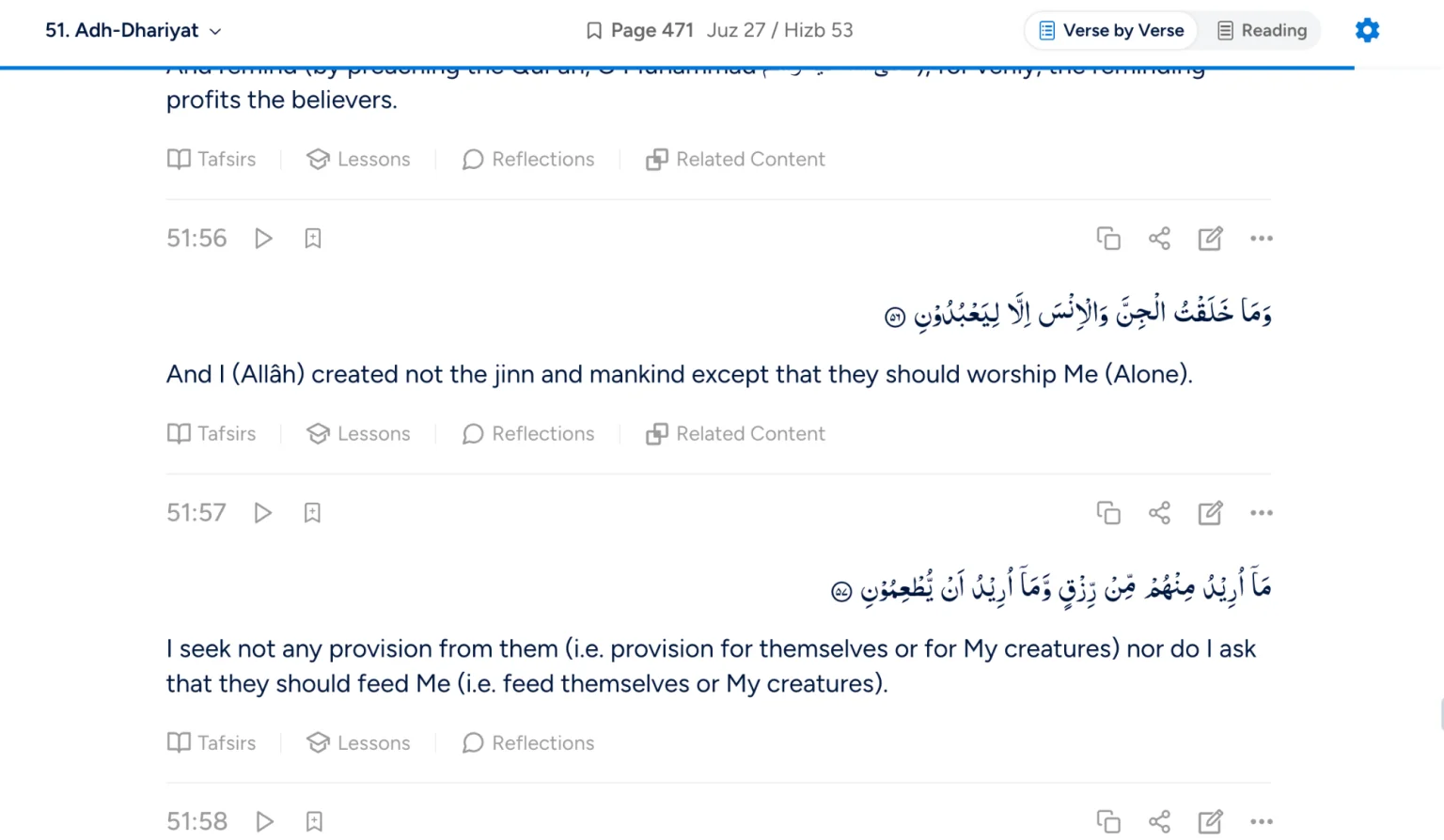
Quran.com is a free, ad-free Quran reader supported by Quran Foundation, a nonprofit. You can read the Quran with translations in many languages, open tafsir for any verse, and listen to recitations. Tap a word and you hear its pronunciation, and Study Mode lets you explore any verse or word in more depth.
Strengths: Free and ad-free, with translations, tafsir, audio and word-by-word study. You can also add notes to any verse, and they sync across your devices.
Limitations: Notes attach to individual verses, so a lesson that mixes several verses, a hadith and a PDF has no natural home. It is built for reading and study, not for organizing a course.
2. Sunnah.com: Best for Finding and Referencing Hadith
Best for: Searching hadith and citing them accurately
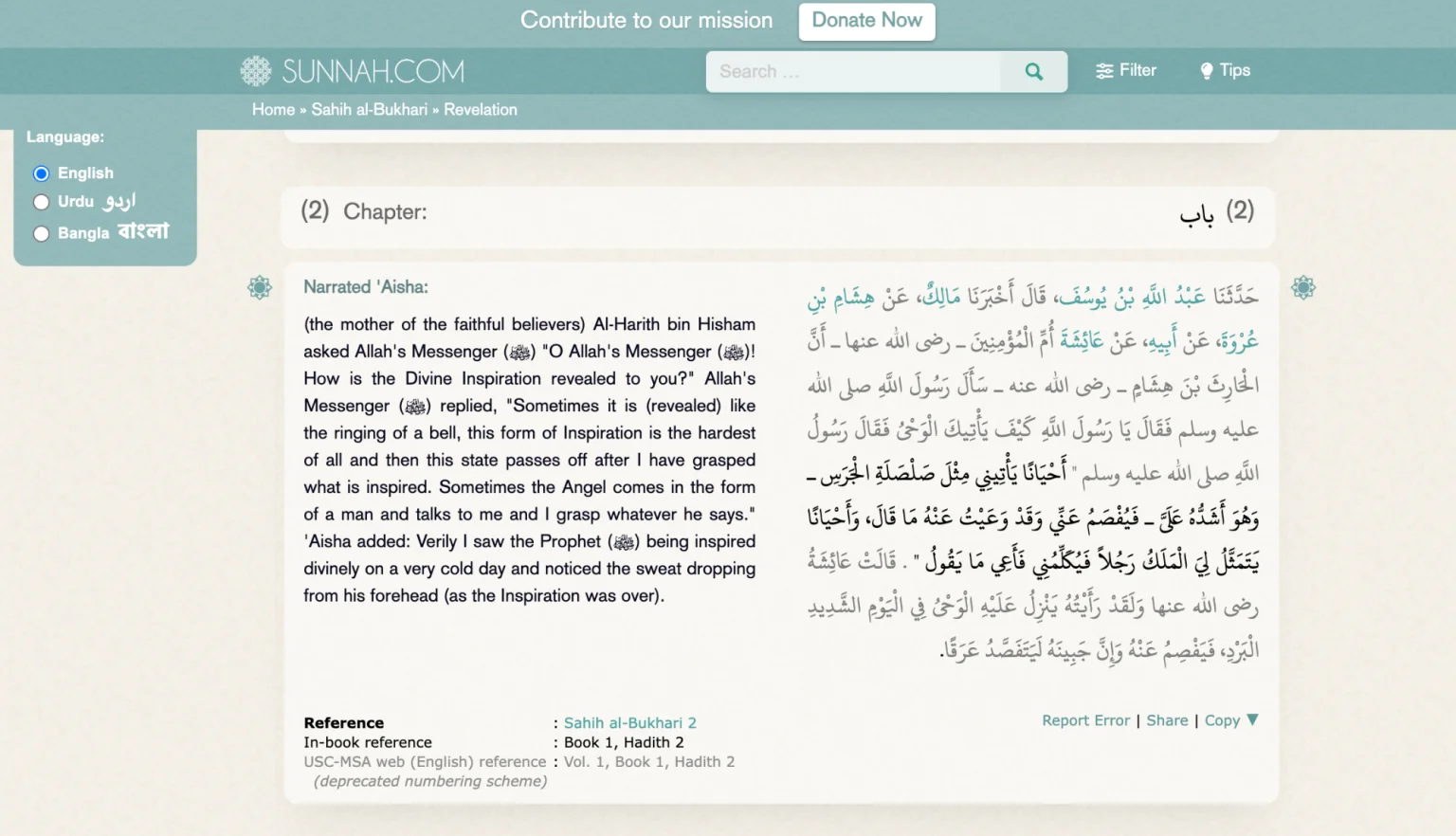
Sunnah.com is a free, searchable hadith website, fiscally sponsored by Quran Foundation, the nonprofit behind Quran.com. It carries the major collections, including Sahih al-Bukhari and Sahih Muslim, in Arabic with translations in multiple languages. Entries include reference numbers, and many hadith outside the two Sahihs include published gradings.
Strengths: Major collections, a search that finds hadith by wording, and clear reference numbers you can cite in your notes.
Limitations: It is a reference library, so there is nowhere to write notes or organize lessons. The gradings come from specific scholars, and other scholars may grade a hadith differently.
3. Maktabook: Best for Taking Islamic Study Notes
Best for: Organizing Quran and hadith notes in one place
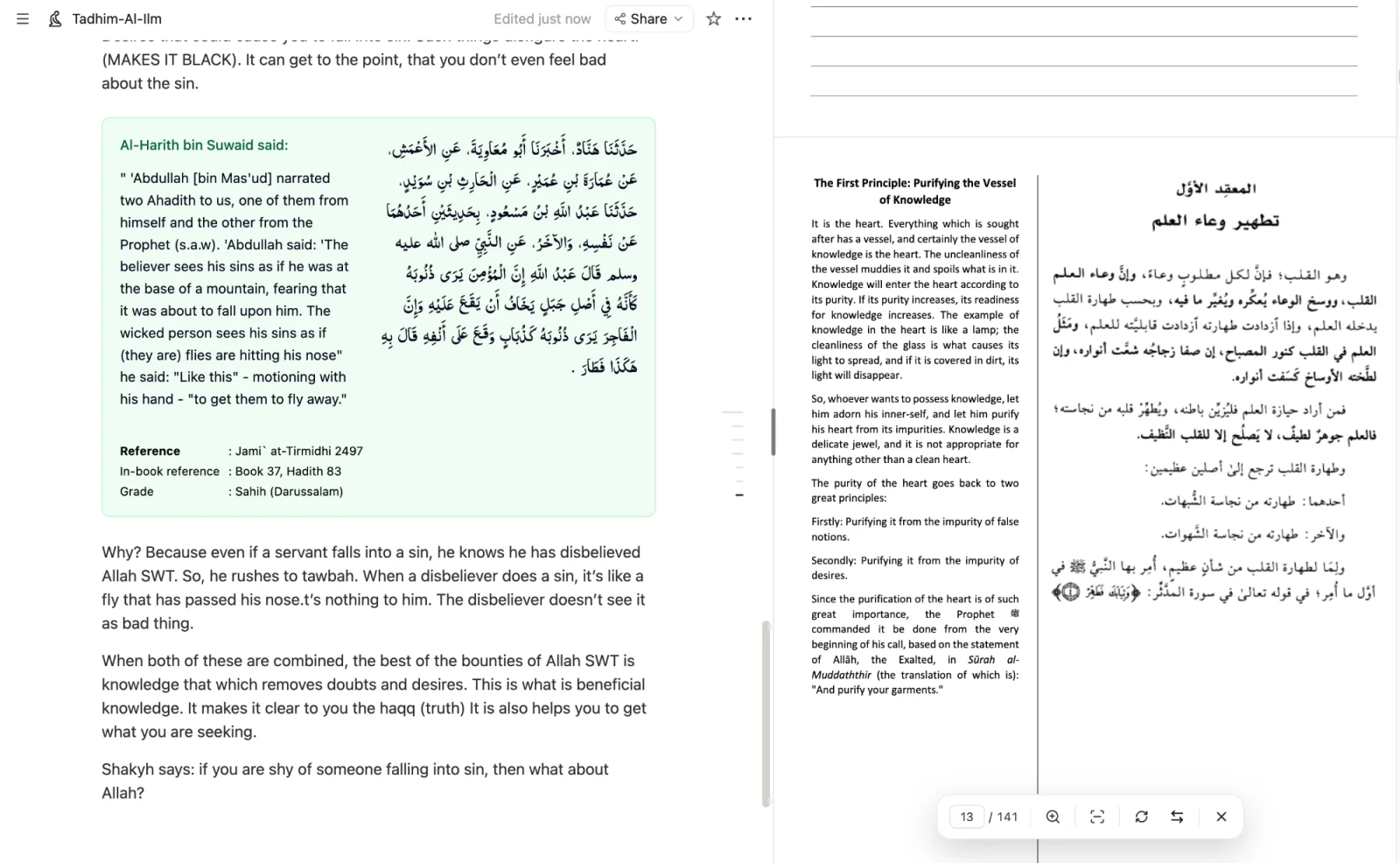
Maktabook is a free note-taking app built specifically for students of knowledge. The Quran, hadith and tafsir are built in, so you insert them into your notes instead of copying them from other sites. To add Surah Adh-Dhariyat 51:56, for example, you pick the verse and it is inserted into your note. You can open a PDF side by side with your notes and organize everything into books, one per subject.
Strengths: Verses and hadith inserted straight into your notes, verses shown in your preferred translation language and Arabic text size, and your PDF open beside the note you are writing.
Limitations: The note editor is built for typing. There is no app to download from an app store. It is not built for recitation practice or memorization.
4. Tarteel: Best for Quran Memorization
Best for: Memorizing and reviewing the Quran with instant feedback
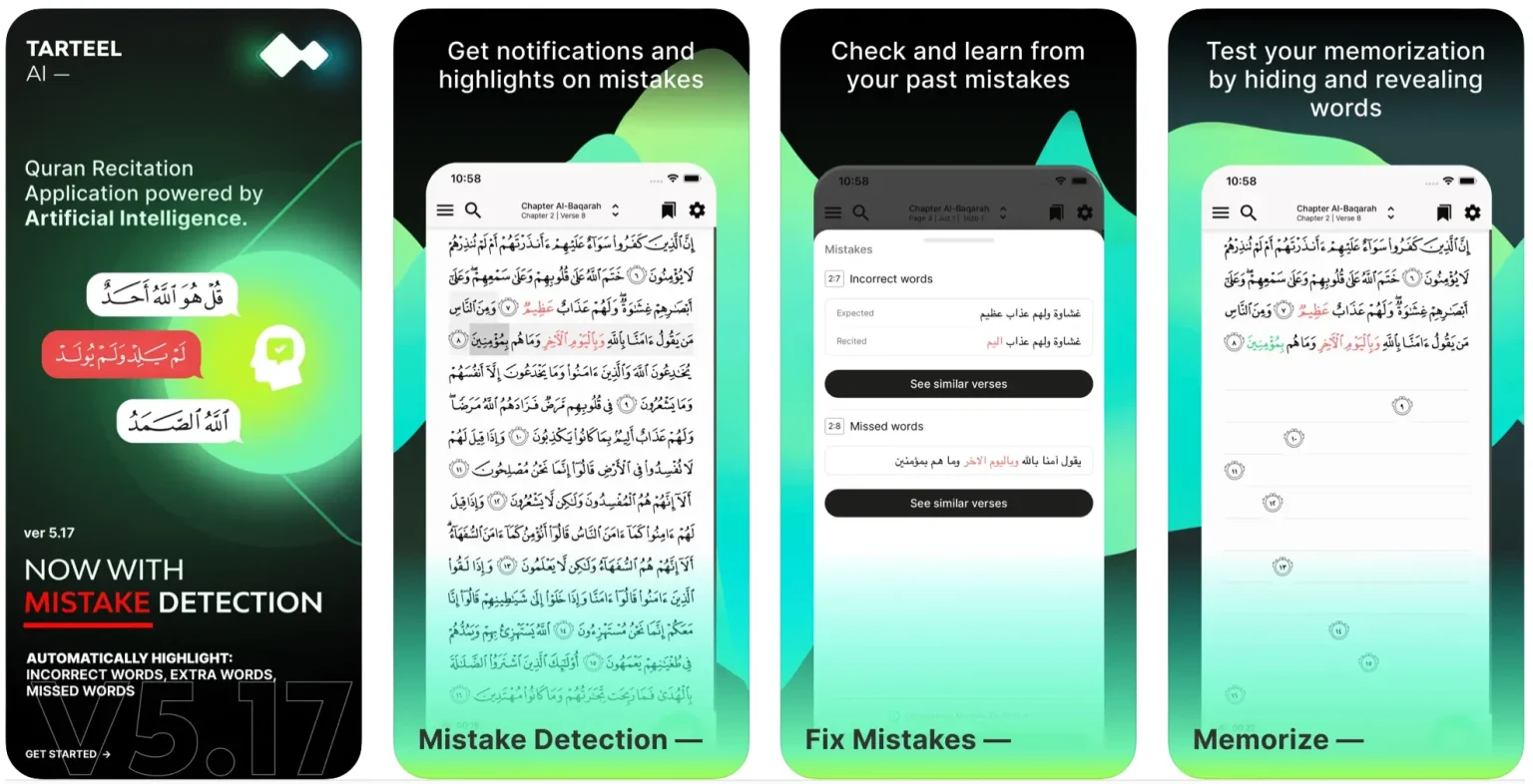
Tarteel is an AI Quran companion for memorization, available on iOS and Android. You hide the verses, tap the microphone and recite from memory, and the app follows along and reveals the words as you say them. Its voice search lets you recite any phrase and find the verse it comes from.
Strengths: Free and ad-free, with unlimited recitation follow-along, hidden verses, voice search, 152 translations and 45 tafsirs. Premium adds real-time mistake detection, which alerts you when you miss, add or change a word, and unlimited testing.
Limitations: Tarteel does not detect tajweed mistakes yet, on the free plan or on Premium. Mistake detection and unlimited testing are paid, and the app is built for memorization, not for notes or hadith.
5. Al Quran (Tafsir & by Word): Best for Word-by-Word Study
Best for: Studying the meaning of the Quran word by word
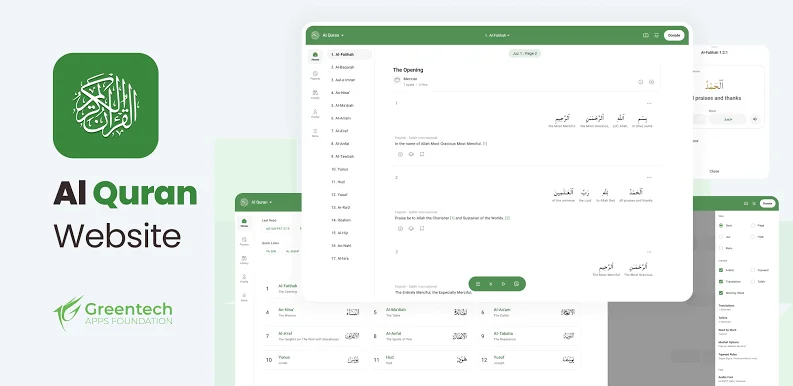
Al Quran (Tafsir & by Word) is a Quran study app from Greentech Apps Foundation. It has word-by-word translations and analysis, Tafsir Ibn Kathir in several languages, and eight Arabic tafsirs, including Ibn Kathir and al-Tabari, with i’rab, word meanings and asbab al-nuzul. It also has audio with repeat and offline downloads, color-coded tajweed, and a Quran dictionary that lists roots.
Strengths: Free and ad-free, with optional in-app purchases. You can study several translations and tafsirs at the same time, and it works offline. Bookmarks and notes sync across devices.
Limitations: It focuses on the Quran, so hadith and class PDFs need other tools.
Which app should you choose?
- If you want to read the Quran with translation, tafsir and audio: Quran.com.
- If you want to find and cite a hadith: Sunnah.com is a useful resource.
- If you want to organize your Quran and hadith notes: Maktabook is designed specifically for this.
- If you want to memorize the Quran: Tarteel is worth considering.
- If you want to study the Quran word by word: Al Quran (Tafsir & by Word).
How to build a simple Islamic study workflow
Keep your notes and sources together in Maktabook, and use a specialized tool only when it does something better. For a tafsir class, that could look like this:
- Write the lesson in Maktabook. Insert the verse being studied, write your teacher’s explanation beneath it, and open the class PDF handout beside your note.
- Go deeper when you need to. Use Quran.com for audio and word-by-word study, or Al Quran (Tafsir & by Word) for more tafsirs, then add what you learn to the same note.
- Check a hadith when you need more. Search Sunnah.com for related narrations or a grading, then add the reference to your note.
- If you are memorizing, recite with Tarteel. Keep your reflections in your note.
For more on taking notes, see how to take better Islamic study notes. To compare note-taking apps, see our guide to the best apps for taking notes in Islamic studies.
Conclusion
Choose tools by what you are trying to do, not by how many you can use. Start with one or two, and add another only when you run into something the first can’t do.
May Allah سبحانه وتعالى grant us beneficial knowledge and the ability to act upon it. Ameen.